Simpler (Simplex solver) is an educational application that was created to facilitate the learning of linear programming as part of a bachelor's thesis focusing on the field of operations research.
The application offers two main functionalities:
- Verification of MPS input and its parsing to LP equations
- Interactive solving of linear optimization problems with different algorithmic variants
Setup manual
Download
All versions of Simpler can be obtained from the GitHub releases page under the following link. Using the latest available release is strongly recommended.
Running the binary
Setup begins after downloading the executable binary for your operating system described in the previous section.
Note that successful launch of the application is conditioned on having port 8080 free before running the binary.
Windows
The Windows executable binary is downloaded with the .exe suffix.
- Move the downloaded file into your preferred location.
- Double-click the downloaded file to boot it up.
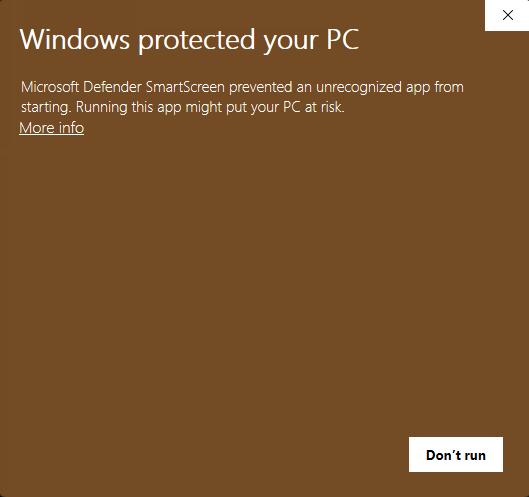
- If the following alert appears, select More info and Run anyway
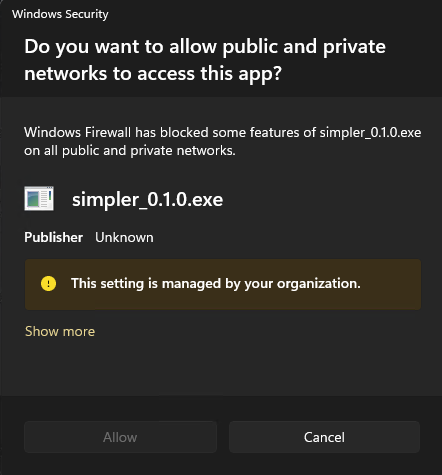
- Allowing access to private or public networks, as shown in the alert below, is generally not required.
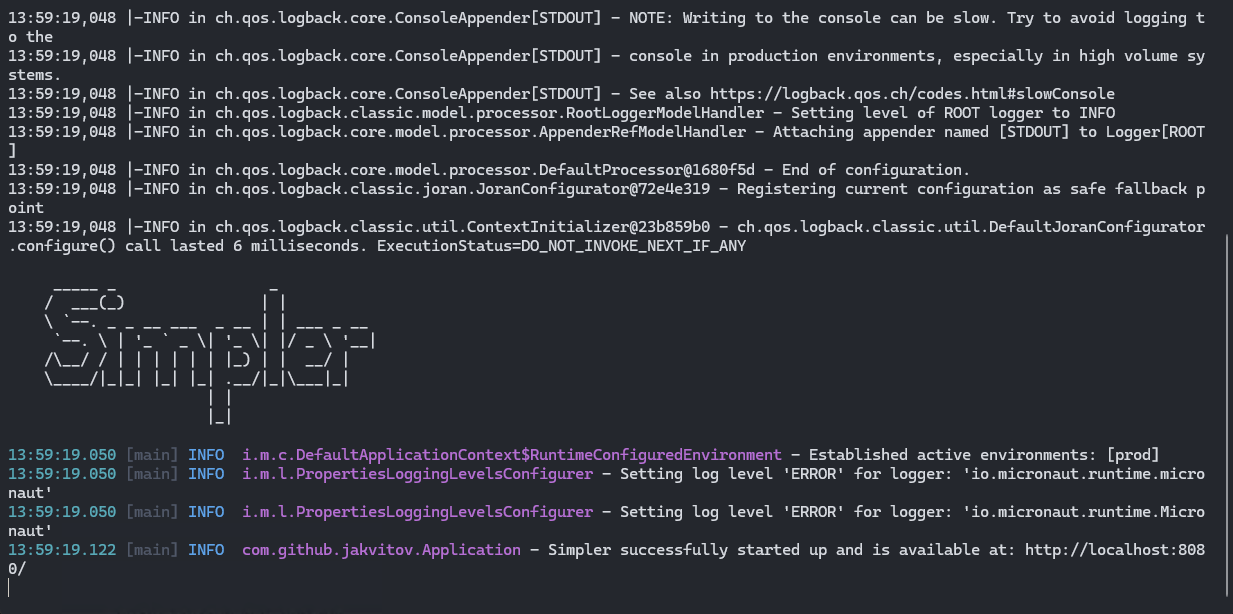
- A terminal window will open and you can verify successful startup of the application in the provided logs.
- Open your browser and go to the following URL:
http://localhost:8080. - In order to stop the application, return to the terminal window and press
CTRL + C.
macOS
The macOS executable binary is downloaded without any suffix.
- Move the downloaded file into your preferred location.
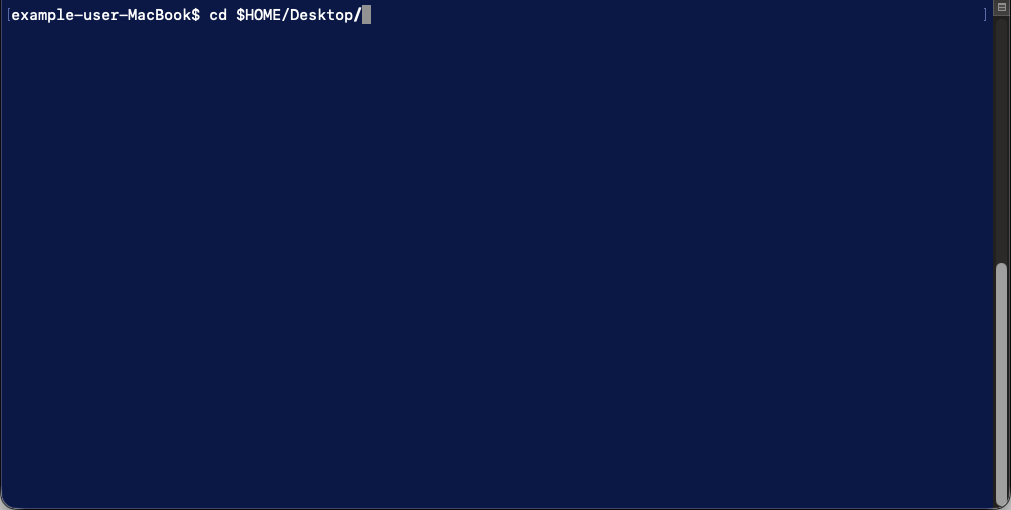
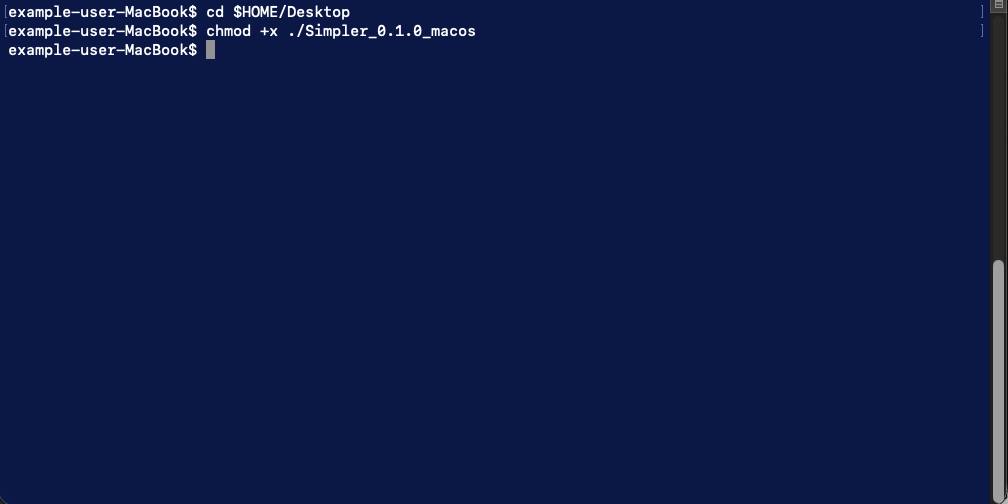
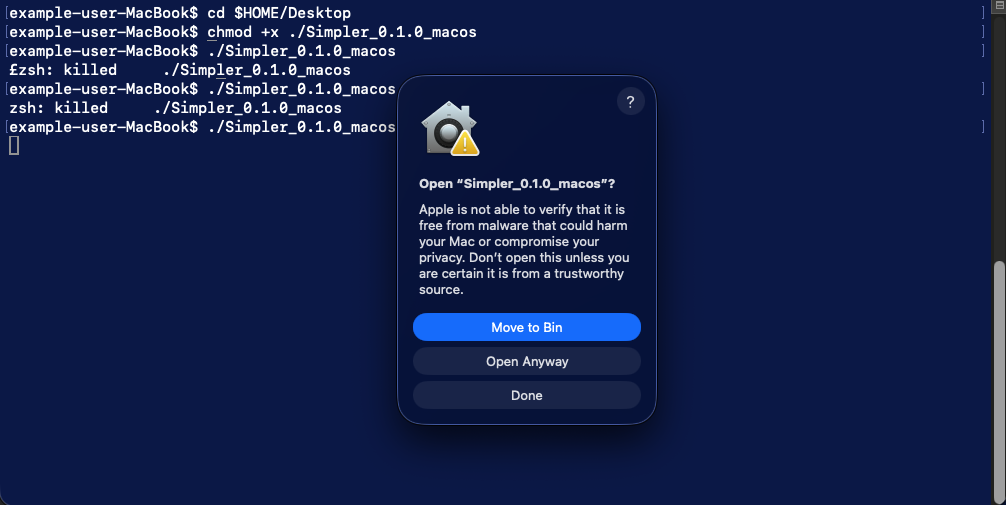
- Open the terminal and
cdinto the directory containing the downloaded binary. - Make your binary executable by running
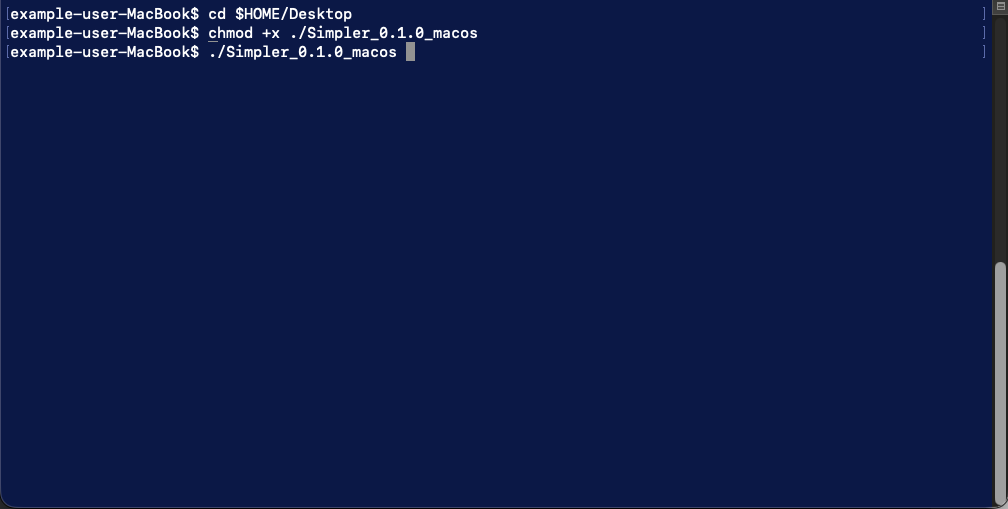
chmod +x ./your-binary-name. - Run your binary file by entering
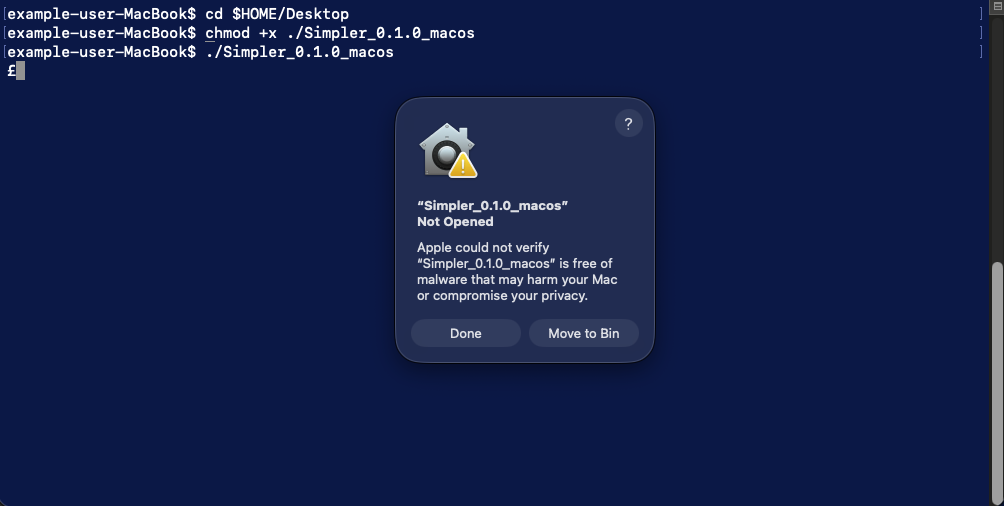
./your-binary-name. - If the following alert appears, choose Done.
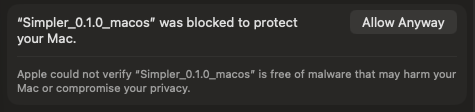
- Do not close the terminal and open System Settings, then go to Privacy & Security. In the following window, click Allow Anyway.
- Return to the terminal and repeat Step 4.
- If the following alert appears, click Open Anyway
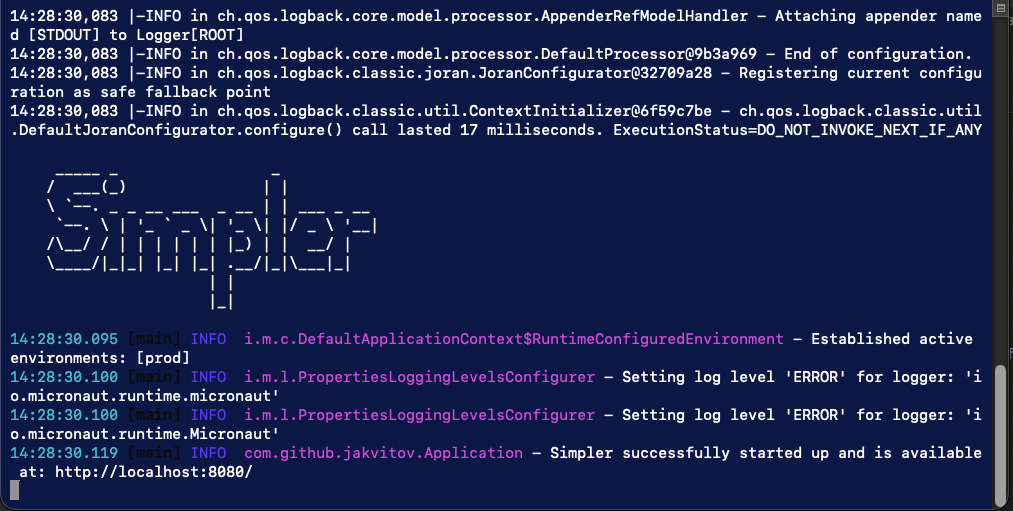
- A terminal window will open and you can verify successful startup of the application in the provided logs.
- Open your browser and go to the following URL:
http://localhost:8080. - In order to stop the application, return to the terminal window and press
Control + C.
Ubuntu
The Ubuntu executable binary is downloaded without any suffix.
- Move the downloaded file into your preferred location.
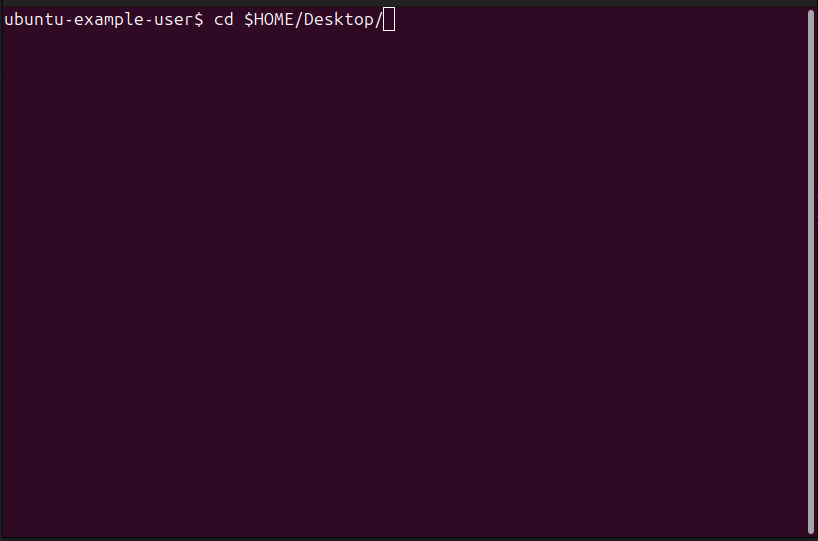
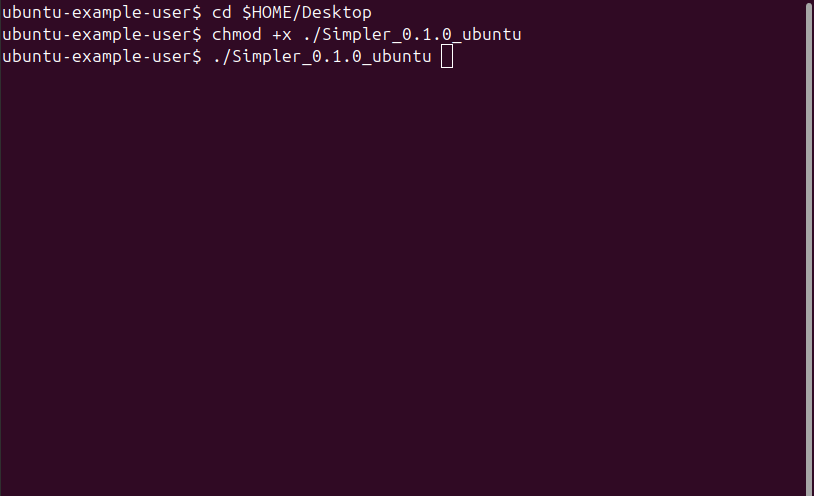
- Open the terminal and
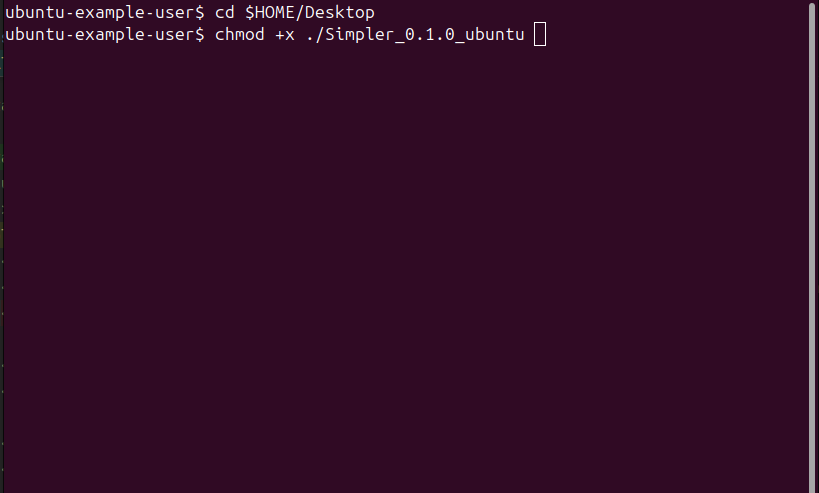
cdinto the directory containing the downloaded binary. - Make your binary executable by running
chmod +x ./your-binary-name. - Run your binary file by entering
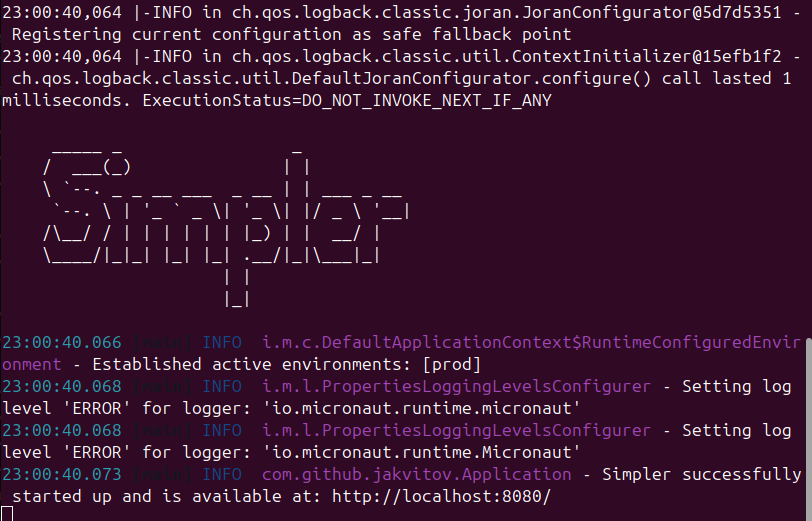
./your-binary-name. - A terminal window will open and you can verify successful startup of the application in the provided logs.
- Open your browser and go to the following URL:
http://localhost:8080. - In order to stop the application, return to the terminal window and press
Control + C.
Input formats
Number formats
Simpler works mainly with rational numbers and displays the results as whole numbers or fractions. In all input forms (including MPS), numbers can be entered as:
- Plain whole numbers like:
1or-4 - Rational numbers like:
1/50or-5/99 - Floating-point numbers with the delimiter
., like:1.5
No other number input formats are supported. For example, -0,55746 will trigger an error.
Floating-point numbers are transformed into rationals using their binary representation, which may result in precision loss. Usage of whole numbers or rationals is recommended.
MPS
The main input format for Simpler is MPS. The original MPS format is quite restrictive; therefore, for the convenience of users, Simpler ignores all row/column character restrictions and relies solely on keywords. Unknown keywords and sections are skipped and mostly do not trigger an error.
The encounter order of the sections is not strictly enforced.
The application supports only some of the original MPS-defined sections:
NAMEmust be defined and supports whitespace characters inside the problem name.ROWSmust be defined and contain problem rows.COLUMNSmust be defined and contain problem columns.BOUNDSare optional. Only one bounds set definition is allowed.RHSmust be defined and only one RHS per problem is allowed.
Comments
Comments in MPS inputs are supported and start with the # character. Everything between the first # character encountered and the end of the line is ignored. For example, the line: x_1 OBJ # 1
will be processed as x_1 OBJ.
Example MPS
        #Simple LP example
        #Simpler compatible MPS
        NAME          ExampleMps
        ROWS
        N  OBJ
        L  C1
        L  C2
        COLUMNS
        x_1        OBJ     1
        x_1        C1      1
        x_1        C2      0
        x_2        OBJ     1
        x_2        C1      0
        x_2        C2      1
        RHS
        RHS1      C1      2
        RHS1      C2      2
        ENDATA
Interactive input
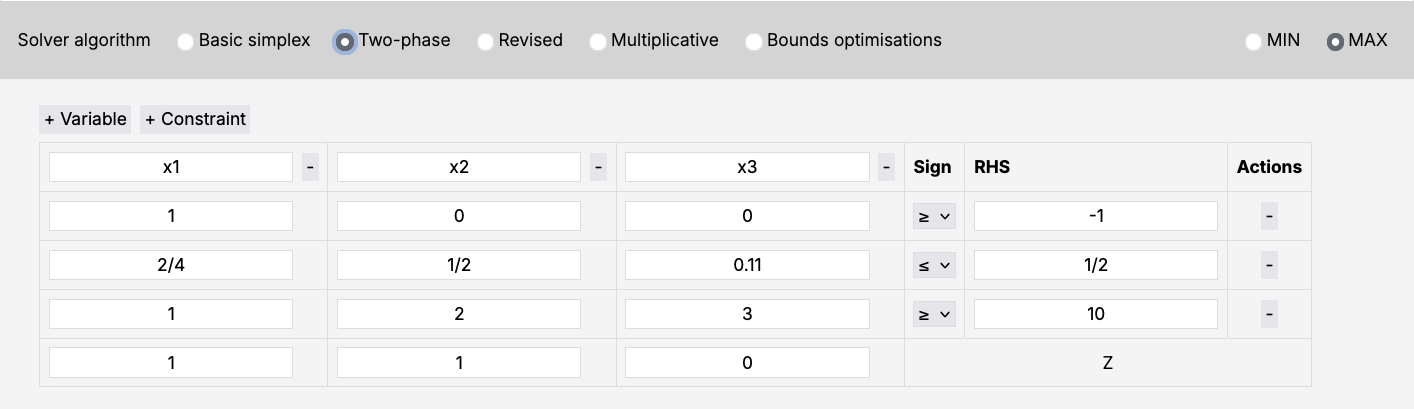
Interactive input offers a simplified and user-friendly way of entering linear optimization problems. Just enter variable coefficients into the given table and hit the submit button. Resizing the input table can be achieved by clicking the + Variable, + Constraint, and - buttons. Accepted number formats are the same in both MPS and interactive input.
LaTeX support
Simpler uses LaTeX formatting in all non-error outputs. This means that entering a variable name like x_1 will result in it being rendered as: $x_1$. Note that this applies to all nameable components of the MPS input format (for example, RHS names as well).
Solver
Settings
Solver parameters
All solver-related parameters can be tweaked in the Settings section.
Each solver variant has two basic parameters. These include:
- Max iterations: maximum number of iterations that will be performed during computation. If a solution cannot be reached within this limit, a status indicating that the maximum number of iterations was exceeded will be returned. A description of all performed steps up until that point will be part of the output.
- Max base cycles: maximum number of occurrences of the same basis. Basis occurrences are compared regardless of variable order. If a solution cannot be reached within this limit, a status indicating that the maximum number of basis cycles was exceeded will be returned. A description of all performed steps up until that point will be part of the output.
Clear storage
In order to store solution data, Simpler uses local IndexedDB in the browser. Such storage is not periodically cleaned by the browser and manual clearing is required in order to invalidate it.
This can be achieved through clicking the Clean storage button. Note that this might cause problems with reloading previously solved LPs.
Algorithmic variants
Simpler offers detailed solution output for different algorithmic variants of the Simplex algorithm. You can choose your desired solver variant in the Solve LP section. Currently supported variants are:
- Basic simplex (primary simplex algorithm, with tableau solution)
- Two-phase simplex (two-phase simplex algorithm, with tableau solution)
- Revised simplex algorithm (two-phase simplex algorithm, solved using the revised method)
- Multiplicative simplex algorithm (two-phase simplex algorithm, edited version of the revised method with basis matrix inverse calculation optimizations)
Troubleshooting
Simpler caches backend inputs and outputs in the frontend IndexedDB. This may occasionally cause minor problems. The first step in troubleshooting is clicking the "Clean storage" button at the bottom of your screen. If that doesn't help and the problem persists, try restarting Simpler, opening it in a different browser, or opening it in private mode. Try to keep your application updated by downloading the newest version when it comes out on GitHub.
Bug reporting
Reporting bugs helps Simpler advance and provide a better user experience. If any error occurs while using the application, a bug report link will appear. If you click it, it will either contain prefilled information about an application-caught error, or ask you to describe your problem if none was caught. In case of a prefilled bug report, you get a full overview of what is being sent, so that you can personally check for sensitive information.
Try to always include your Simpler version and the input that triggered the bug, so that it can be tracked down and repaired swiftly.